Prototyping interactions at full fidelity with AI
Shipped in
2025 – ongoing
My role
Product design + Vibe coding
Team
Myself
Static mockups don't tell you whether an interaction feels right. A spring at 0.4 vs 0.6 damping, a 200ms vs 280ms transition, an ease-out vs an ease-in-out. These aren't decisions you can make in your head. You have to play with them.
The impact
~2 hrs of prompt iteration saved on avg. per prototype
~12 prompts to a fully interactive prototype
Zero revision requests on motion specs after handoff
The problem with prompting your way to the right feel
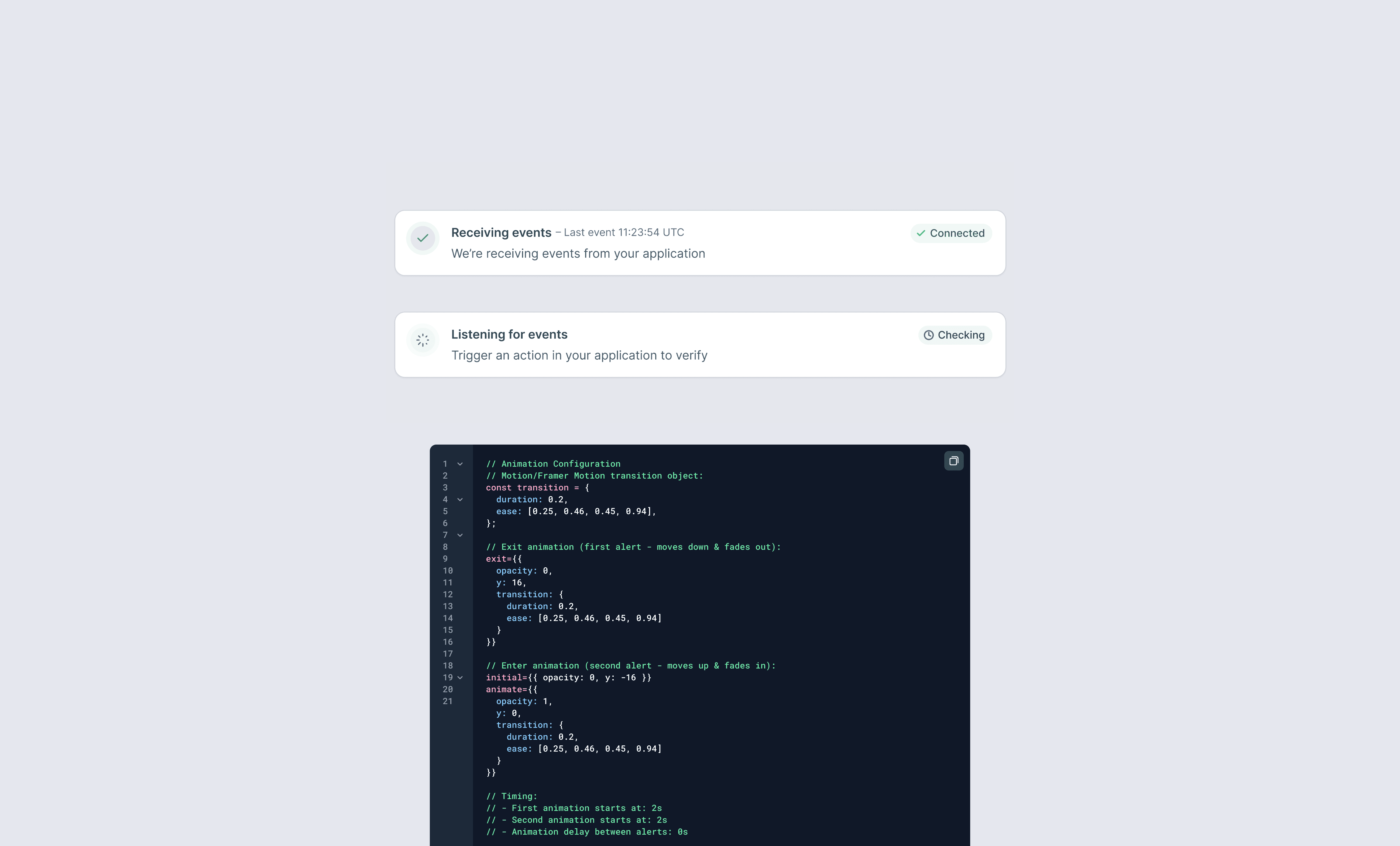
Iterating on motion through prompts is slow, expensive, and burns tokens on a problem that doesn't need an LLM to solve. Take a notification banner that transitions between two states: "in progress" fading out and moving down as "done" moves up and fades in. Getting that swap to feel natural involves real feel decisions: how fast, which easing curve, whether the two movements are simultaneous or staggered. "Make it a bit snappier" is a terrible prompt. By the time the regeneration comes back, you've lost the thread of what you were testing.
Motion design is mainly a feel problem, not so much a logic problem. The tools that work best for it are tactile, like in old music analogue gear: a dial you turn until something "feels right". Prompting an AI to be that dial is simply the wrong job for the tool.
Build the controllers in, once
So instead of prompting the AI to tweak the interaction, I prompt it once to build me an interface where I can tweak the interaction myself.
In a single prompt, I ask the tool to scaffold the prototype with all the relevant controllers exposed: motion type, easing curve, spring stiffness and damping, duration, delay, opacity, scale, offset. Sliders, dropdowns, number inputs, sitting next to the prototype itself. I sometimes find that some controllers don't fully work from the first prompt, so you might need a couple of more to make sure it's all connected. From that point on, I can spend time playing with the controllers, watching the interaction respond in real time, and zero in on the values that feel right. Zero further tokens. Zero waiting for a regeneration.
LLMs are good at scaffolding structure, components, state, animation primitives. They are bad at being a tactile dial. Putting the dial in the prototype means the AI does what it's good at, and I do what I'm good at.
Controller panel built into the prototype. All values are adjustable in real time, so no further prompting is needed.
Two clean handoff paths
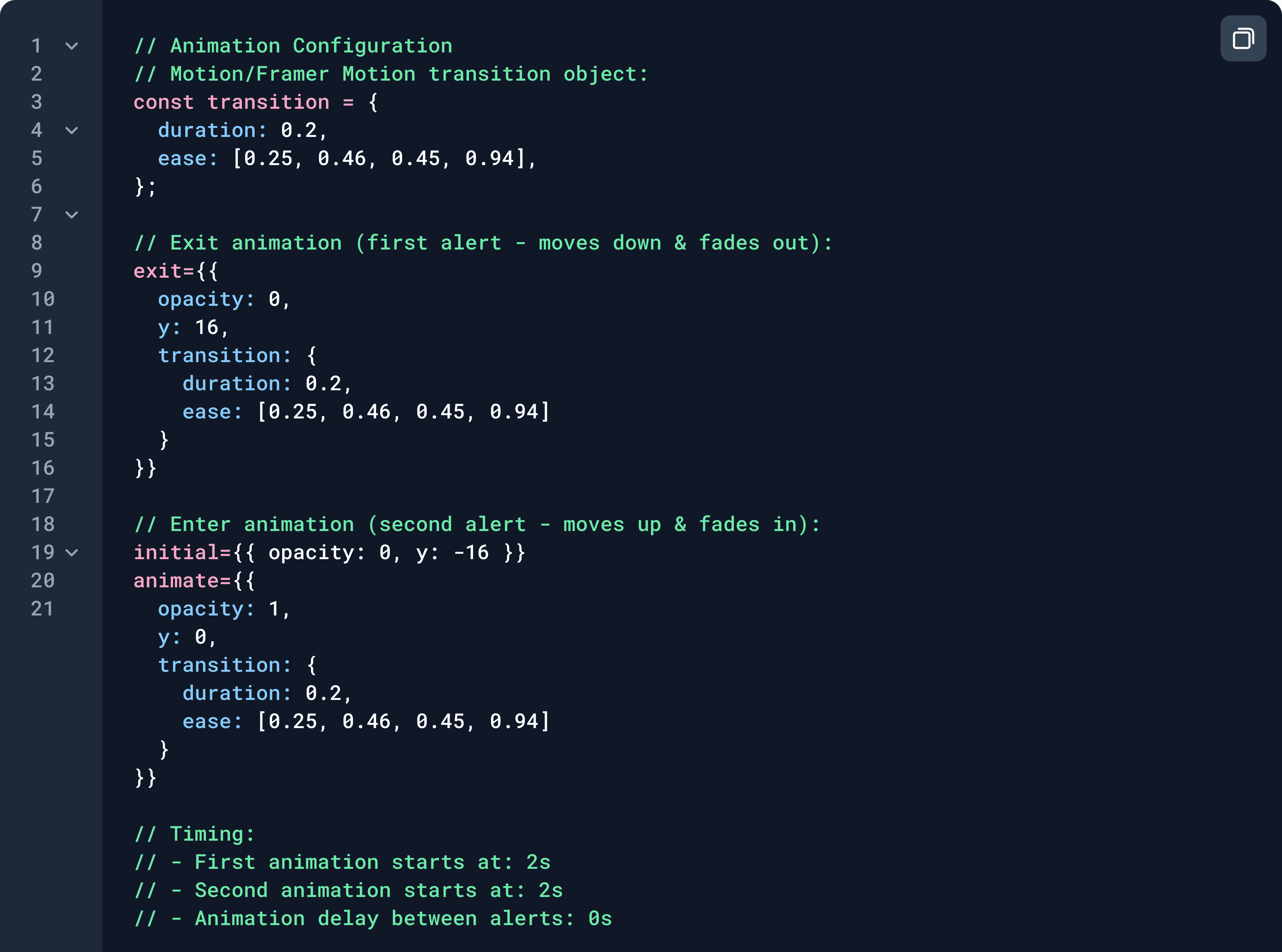
Once the interaction is locked, the handoff is straightforward. To engineers: I screenshot the controller panel and prompt AI to pass over the exact values. Easing function, duration in ms, spring constants. No ambiguity, no "a bit snappier please." To production code, when I'm building it myself: I take the locked values into Claude Code and build the real component. The prototype was effectively the design tool; the code is the deliverable.
The biggest risk in interaction design is shipping motion that "kinda" works because no one had time to iterate properly. Building controllers into the prototype removes that excuse. This way, by the time anything gets handed off, dozens of variations have already been tried and perfected to reach the final result.